
The alarm your phone
can't talk you out of.
Rise rings through Silent Mode and every Focus, makes you prove you're actually awake, then locks the apps that would've eaten your morning. Built for the chronic snoozer who's done lying to themselves.
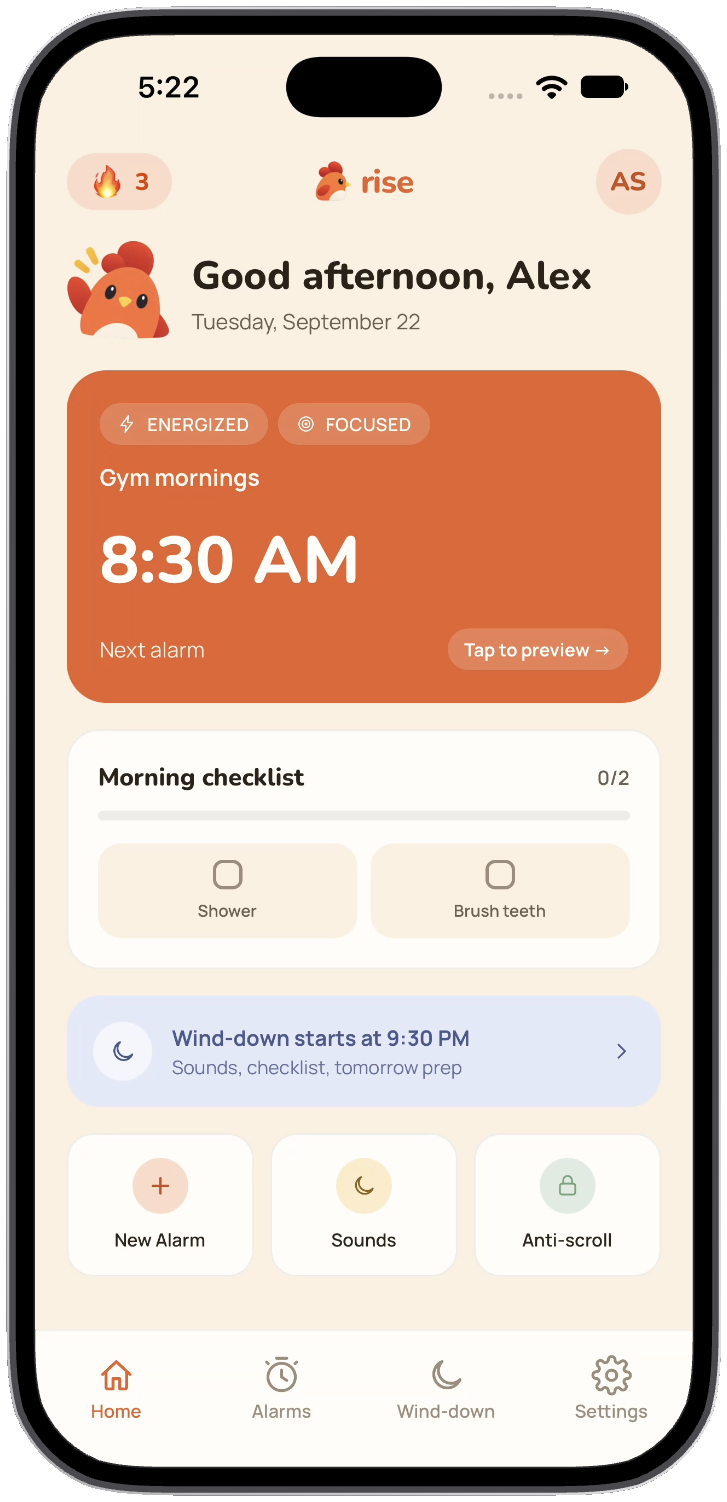
Rings on silent
Real system alarms via Apple's AlarmKit — the same category the Clock app uses.
One snooze. Five minutes.
That's it. After that, the alarm keeps going until the task is done.
Real Screen Time locks
Built on Apple's actual Family Controls — not a screen you can swipe past.
Alarms built around how you actually feel.
Every alarm picks a feeling — the tasks and the tone follow it. Energized mornings get you moving; calm ones ease you in.
Energized
- Shake it
- Quick reps
- Scan a QR code
Focused
- Quick math
- Riddle
- Pattern match
Calm
- Say it back
- Gentle stretch
Grateful
- Gratitude note
- Set an intention
Playful
- Catch me
- Word scramble
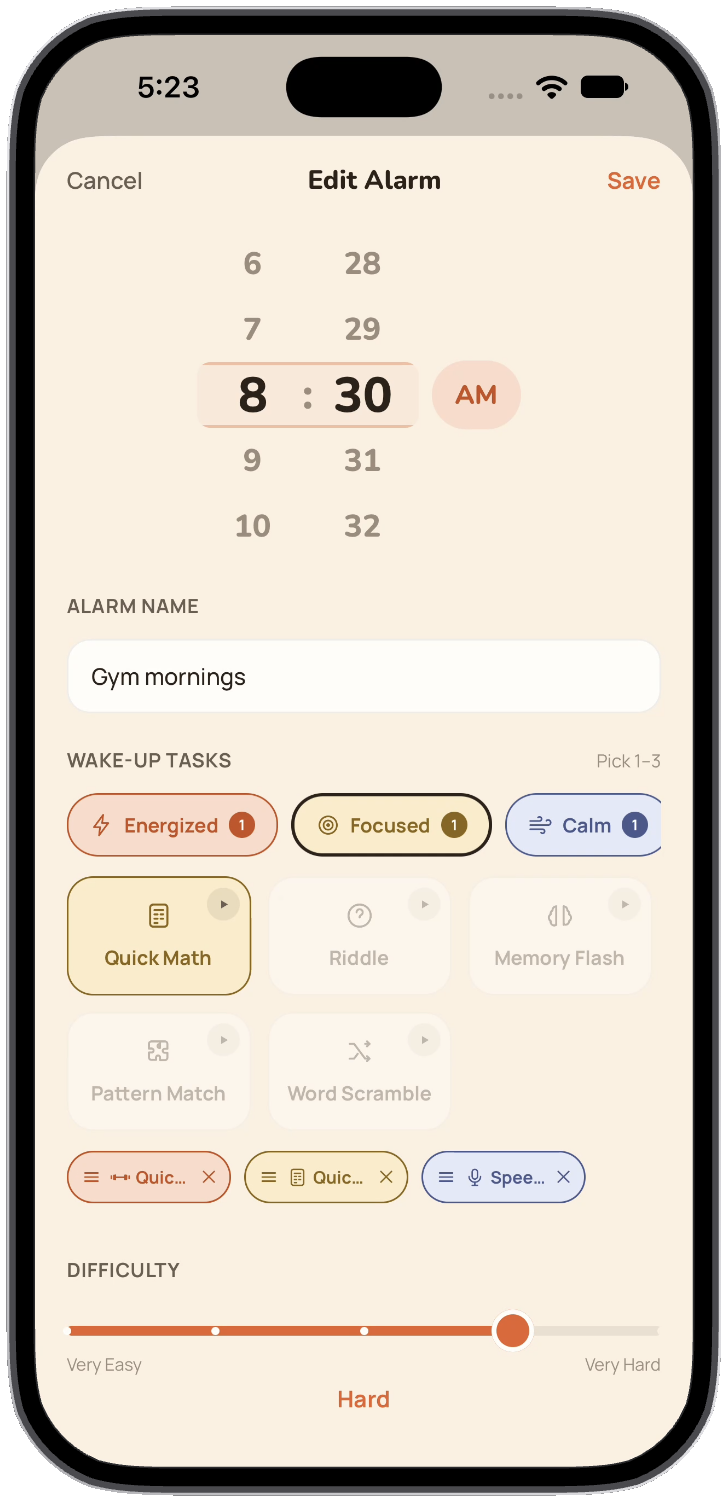
Mix feelings, pick up to three tasks, and set the difficulty — your alarm, your rules.
No button. No slide-to-dismiss. Prove it.
Every task needs your eyes open and your brain on — scan something across the room, do the math, say the phrase back, catch the mascot before it runs off.
Scan QR Code
Find the tag you printed and put somewhere annoying.
Make Your Bed
Snap a photo — Rise checks it's actually made.
Quick Math
A few real problems — no skipping ahead half-asleep.
Speech
Say the phrase back clearly enough to be recognized.
Word Scramble
Unjumble it before your brain fully catches up.
Catch Me
Tap the mascot before it dodges off-screen.
Reaction Test
Fast fingers only — slow ones go right back to bed.
Memory Flash
Remember the pattern, repeat it back — no peeking.
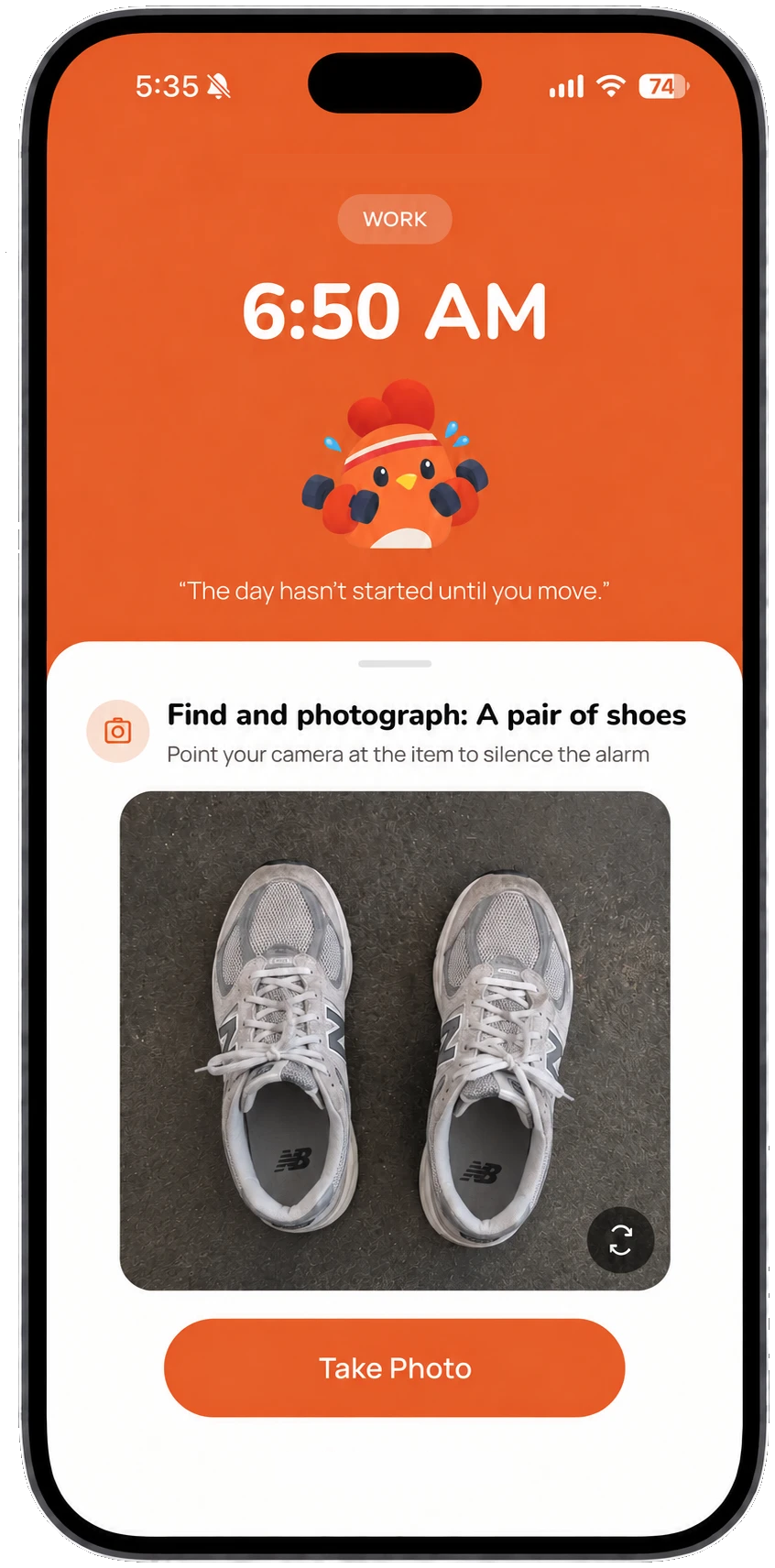
Snoozing once buys you five minutes. Snooze again and the alarm just keeps ringing until the task is actually done — no more negotiating with 6am you.
Your phone can't talk its way out of this one.
Rise uses Apple's real Screen Time controls — not an in-app overlay you can swipe past — to actually lock Instagram, TikTok, or whatever you'd otherwise vanish into for forty-five minutes.
Morning lock
Choose your terms: locked until the checklist is finished, or for a fixed stretch — 30, 60, 120 minutes, whatever gets you clear of your phone before the day starts.
Wind-down lock
The same apps lock themselves again before bed, on a schedule — automatically, every night, without you having to remember to turn anything on.
Every on-time morning shows up on your calendar.
A quiet, honest streak — it only counts the mornings you actually finished, not the ones you meant to.
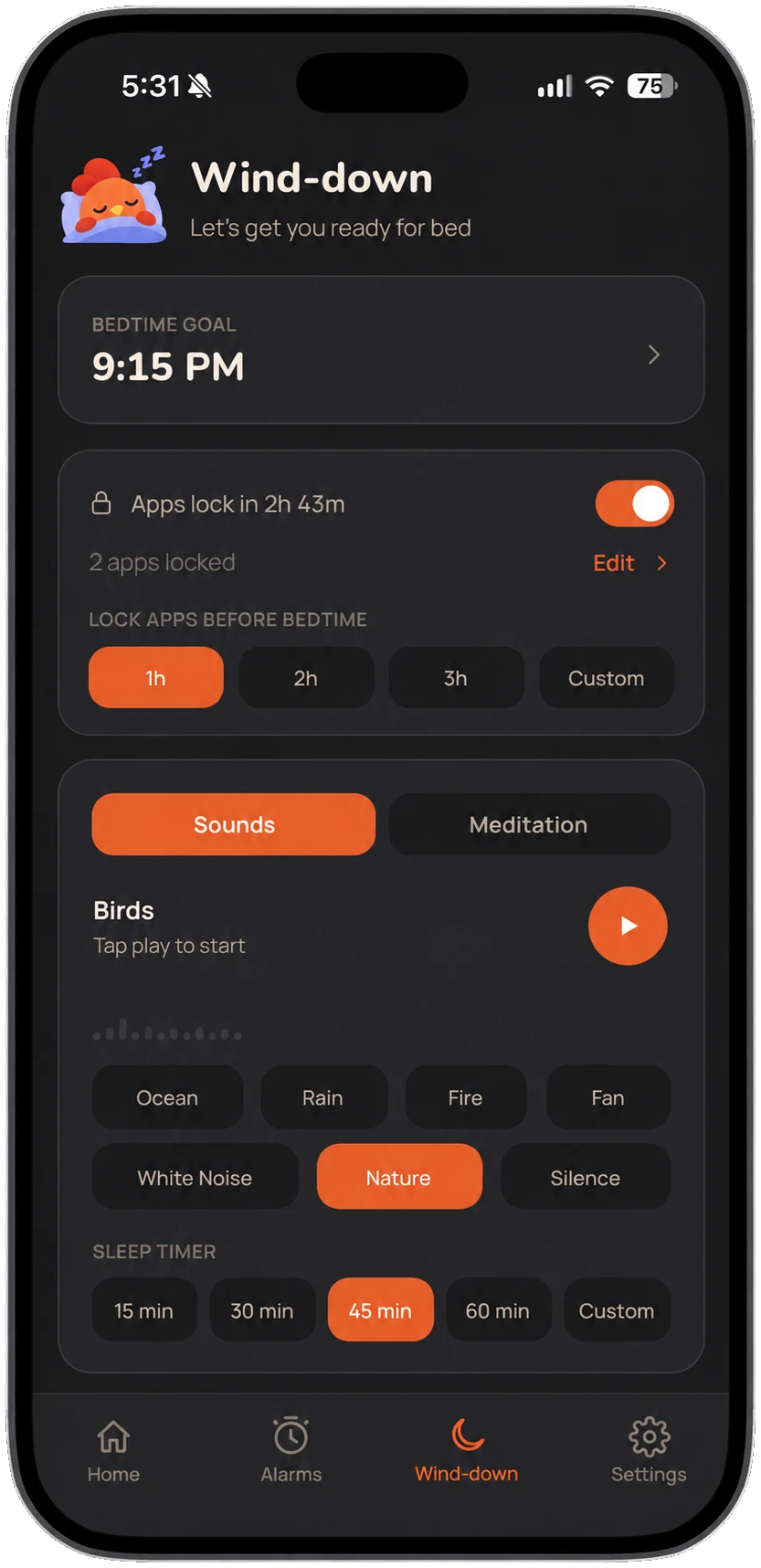
Wind down, actually — not just doom-scroll until you pass out.
Ambient sound library
Ocean, rain, fire, white noise, and nature — streamed on demand, so the app itself stays light.
Guided wind-down sessions
Short, breath-paced sessions instead of a fourth podcast episode you won't remember.
A sleep goal that talks to your alarm
Set a bedtime once — the wind-down lock and next morning's alarm both follow it.
Good questions.
Will it actually go off if my phone's on silent or in a Focus mode?
What happens if I force-quit the app?
Can I still snooze?
Is the app locking a real block, or just a screen I can swipe past?
What platforms is Rise on?
What do I need to get started?
Get Rise on your iPhone.
One plan, everything included, 15-day free trial. Requires iOS 26 or later.
Or search "Rise" on the App Store from your iPhone.